
✅ UNLOCKED (You can buy coins)
You can see the player search, your transfer list and can trade freely.
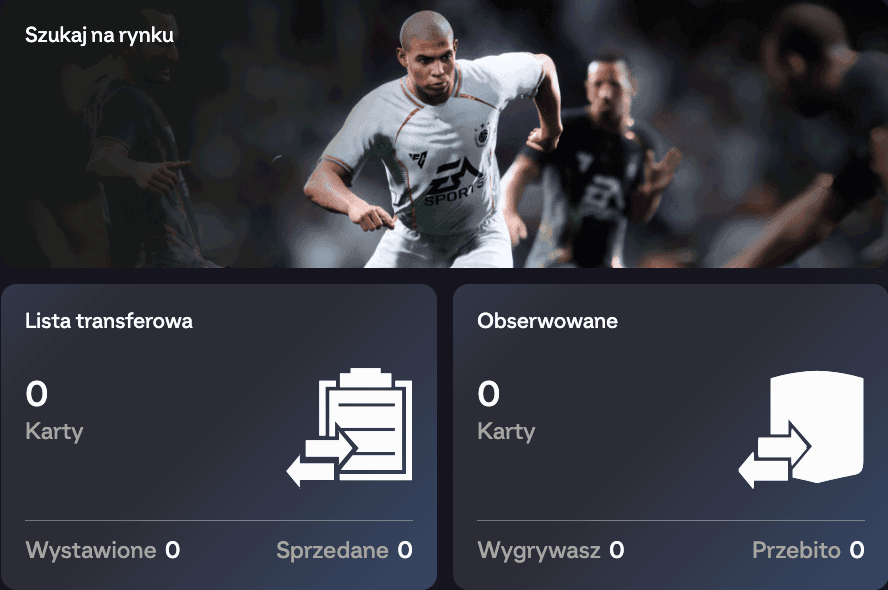
These are completely free, official EA Sports applications. They let you trade cards on the transfer market and manage your Ultimate Team club directly from your phone or browser. This is the system we use to complete coin transfers.
You can download the mobile application (Companion) from the Apple App Store or Google Play. The official browser version (Web App) is available here:
https://www.ea.com/fifa/ultimate-team/web-app/You can see the player search, your transfer list and can trade freely.
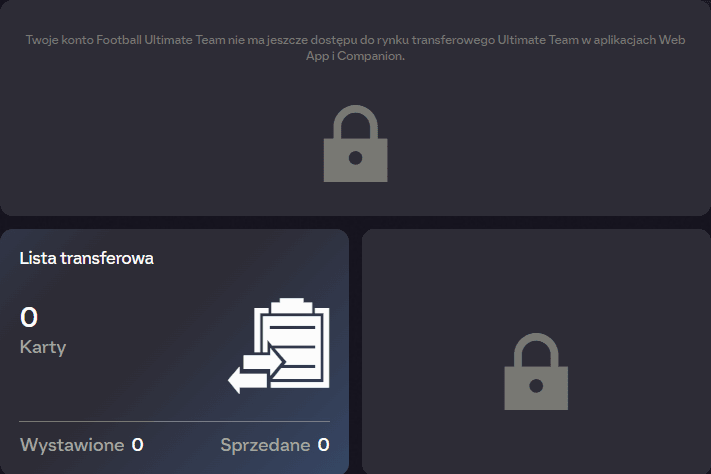
A large padlock and an EA message about unavailable transfer market access appear in the centre of the screen.
Play at least two full Ultimate Team matches each day on your console or computer. Avoid leaving before the match ends.
Sign in every day not only to the game, but also to Web App or Companion. EA's system analyses your regular activity.
The restriction will be removed automatically. This usually takes a few days of active play. You can then order coins from us safely.